gaming
Best Gaming Controller Under 2000 in India: Wired or Wireless, and What Actually Matters

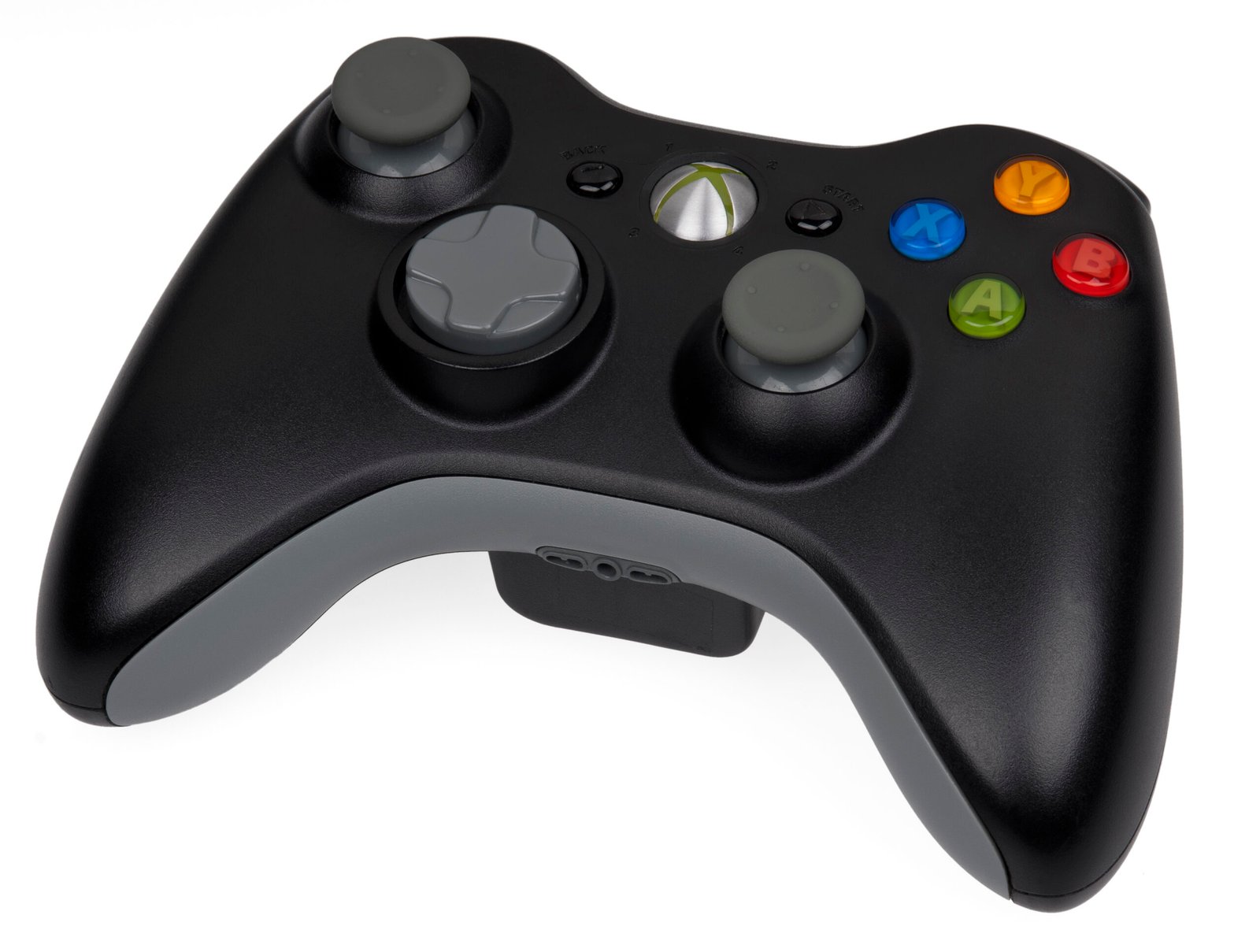
A good controller changes how a game feels. The right one makes aiming steadier, movement smoother and long sessions easier on your hands, while the wrong one adds input lag, drift and frustration. If you are looking for the best gaming controller under 2000 in India, the budget is enough for a solid pad — but only if you spend it on the things that matter and skip the features that only look good on the box.
This guide explains what to check before you buy, how wired and wireless options compare at this price, and which trade-offs are worth accepting.
Start With Compatibility, Not the Price Tag
The first question is not how much the controller costs, but what it works with. A pad built for one platform may not work properly on another, and at this budget there is no point paying for features your device cannot use.
Before shortlisting anything, check three things. First, the platform: PC, Android phone, PlayStation or Xbox each have their own compatibility story, and some controllers need extra software or an adapter. Second, the connection type your device supports: USB, Bluetooth or a 2.4 GHz dongle. Third, whether the games you actually play support controllers at all — many mobile titles do, but some popular ones need mapping apps or only partly support external pads.
A controller that pairs in seconds and is recognised by your games without extra setup is worth more than one with extra buttons you will never configure.
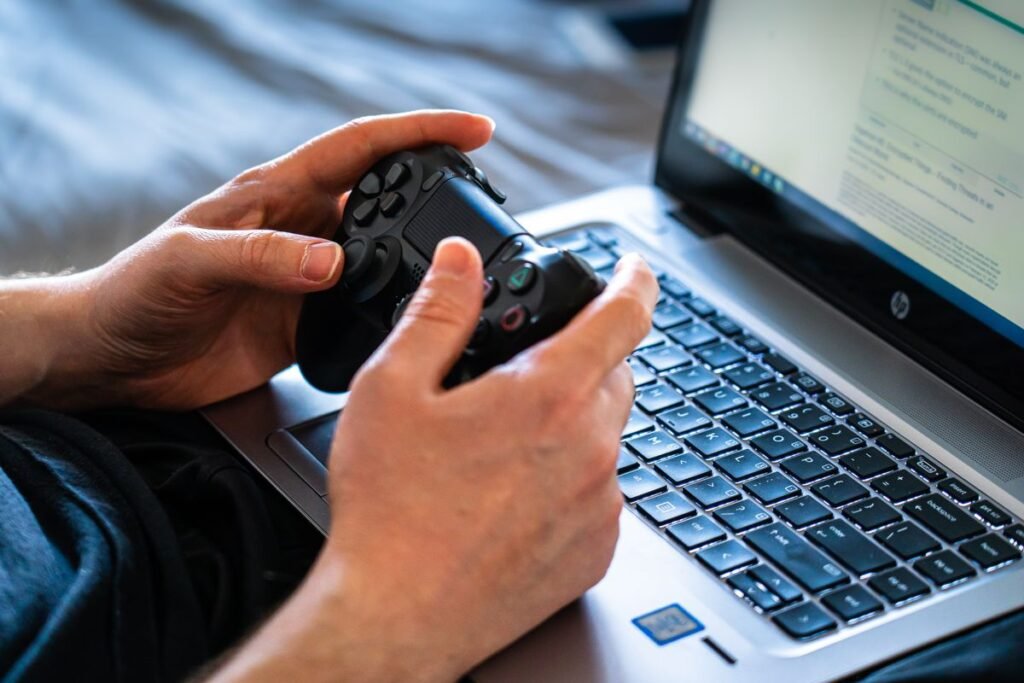
Wired vs Wireless Under 2000
This is the biggest choice at this budget, and there is no single right answer.
A wired controller is usually the safer pick under 2000. It costs less for the same build quality, has no battery to degrade, and input lag is effectively zero because the signal travels over the cable. The downside is obvious: you are tethered to the device, which matters more on a phone or a TV setup than at a desk.
A wireless controller gives you freedom to sit back, which is genuinely pleasant for long sessions. But at this price, wireless pads cut corners somewhere — usually battery life, Bluetooth stability or stick quality. If you go wireless, look for a stated battery life of at least 15 to 20 hours and check user feedback specifically about connection drops, not just about comfort.
For competitive play on a PC, wired still wins at this budget. For relaxed play on a phone or TV, a stable wireless pad is worth the premium.
Sticks, Triggers and Buttons: What to Feel For
The sticks are where cheap controllers fail first. Stick drift — the cursor or character moving on its own — is the most common complaint, and it usually shows up after a few months rather than on day one. Pads with Hall effect sticks resist drift far better than standard potentiometer sticks, so if you find one with Hall effect sticks under 2000, that is a genuine advantage, not marketing.
Triggers matter too. For racing and shooting games, analogue triggers that respond to how far you press them give you finer control than simple on/off buttons. Check whether the triggers feel smooth through their full travel or loose and rattly at the end.
Buttons should feel consistent. Press every button and both bumpers: they should click cleanly without sticking, and the D-pad should register diagonals reliably if you play fighting or platform games. A mushy D-pad ruins those genres no matter how good the rest of the pad is.
Comfort and Build: Hold It Before You Judge It
A controller lives in your hands for hours, so shape matters as much as specifications. Larger hands suit bigger grips; smaller hands suit compact pads. Textured grips help during long sessions, especially in warm weather, and a pad that is too light can feel cheap while one that is too heavy tires your wrists.
Build quality is hard to judge from photos. Look for solid seams with no flex when you squeeze the handles, sticks that sit firmly without wobble, and a cable (on wired pads) that is braided or at least thick enough to survive being coiled repeatedly. If a listing shows the same stock photo as five other brands, treat its quality claims with caution.
Battery Life and Charging on Wireless Pads
If you choose wireless, battery behaviour decides whether you enjoy the pad or resent it. A pad that lasts a full weekend of play on one charge is fine; one that needs charging every evening is not. USB-C charging is preferable to micro-USB at this point, both for speed and because the cable is the same one your phone probably uses.
Also check whether the pad works while charging. Some wireless controllers can be used wired while they charge, which removes the worst downside of a dead battery mid-match. If it cannot, keep a spare cable handy or accept the interruption.
The Best Gaming Controller Under 2000 for Different Players
There is no one pad that suits every player, so match the choice to how you play.
For PC players, the best gamepad for pc at this budget is a wired pad with Hall effect sticks and analogue triggers. You get low latency, no battery worries and the best stick technology the budget allows.
For mobile players, especially BGMI and similar titles, a compact Bluetooth controller with a phone mount and a stable connection matters more than trigger quality. Test how it pairs with your phone model, and confirm your game supports it before buying — this is where most mobile controller purchases go wrong.
For console-style play on a TV or with a streaming setup, a wireless pad with good ergonomics and long battery life is the comfortable choice, as long as connection stability is proven rather than promised. If you play on a console, check the ps5 controller price in india and the xbox controller price in india before deciding, since first-party pads usually cost more than this budget and third-party options vary widely.
If you play across PC and mobile, a multi-mode wireless controller for pc that switches between wired, Bluetooth and 2.4 GHz gives you the most flexibility for the money. Just verify each mode actually works on your devices instead of trusting the feature list.
Five Mistakes to Avoid
First, buying on looks alone. RGB lighting and aggressive styling add nothing to how a pad plays, and at this budget they usually mean money was taken away from the sticks.
Second, ignoring return and warranty terms. Stick drift often appears after the return window closes, so a pad with a proper warranty from a known seller is worth a small premium over a cheaper no-name import.
Third, assuming every controller works with every game. Check compatibility for your specific games, not just your platform.
Fourth, choosing the cheapest option without reading recent reviews. Controller quality varies between production batches, so reviews from the last few months matter more than the overall rating.
Fifth, forgetting the extras. A phone mount, a decent cable or a carrying case can add to the real cost, so factor them in before comparing prices.
How to Test a New Controller Properly
When the pad arrives, do not just play one match and decide. Spend ten minutes testing systematically: move each stick slowly in circles and watch for jumps or dead spots, press every button and trigger, test the D-pad diagonals, and play a full session on battery to check real battery life. If anything feels off, use the return window — drift and dead zones rarely fix themselves.
For mobile players, also test pairing after the phone restarts, since some pads pair fine the first time and then struggle to reconnect. And if you use the pad for BGMI, spend a few minutes in training mode first; the right BGMI sensitivity settings make a bigger difference to your aim than any hardware upgrade.
Conclusion
The best gaming controller under 2000 in India is not the one with the longest feature list. It is the one that connects reliably to your device, has sticks that stay accurate, feels comfortable for hours and survives daily use. Choose wired for competitive PC play, wireless for relaxed sessions, and always verify compatibility with the games you actually play before you buy. Spend the money on sticks, triggers and build quality — and let the lighting and styling take care of themselves.

Best Gaming Controller Under 2000 in India: Wired or Wireless, and What Actually Matters

Best Gaming Smartphone Under 20000 in India: 5 Picks for Smooth Play

Best Gaming Monitor Under 10000: 5 Checks Before You Buy

Best Gaming PC Under 50000: Prebuilt or Custom Build?

Best Gaming Chair Under 5000: Mesh vs Racing Style

Best Gaming Mouse Under 500: 5 Costly Mistakes to Avoid
Best Gaming Keyboard Under 1000: What to Check First

Best Gaming Headphones Under 2000 in India: A Buyer’s Guide
Best Gaming Mouse Under 1000 in India: A Smart Buyer’s Guide
BGMI Redeem Code: How to Claim Free Rewards the Official Way
BGMI Esports Registration: How to Register for BGMI Tournaments in India

How to Improve Aim in Valorant: A Simple Beginner Guide
How to Reduce Lag in Online Games: Simple Fixes That Actually Work

Why Women Need More Than One Pair of Flip-flops
BGMI Sensitivity Settings: The Best Values for Steady Aim and Low Recoil
WatchNewMovieNet com: Movies, Streaming and Entertainment Explained

Best Gaming Earphones Under 1000 in India: Clear Sound, Low Lag, Zero Overspend
BGMI Redeem Code: How to Claim Free Rewards the Official Way
Best Gaming Mouse Under 1000 in India: A Smart Buyer’s Guide
Best Gaming Keyboard Under 1000: What to Check First
Best Gaming Controller Under 2000 in India: Wired or Wireless, and What Actually Matters
Best Gaming Smartphone Under 20000 in India: 5 Picks for Smooth Play
Best Gaming Monitor Under 10000: 5 Checks Before You Buy
Best Gaming PC Under 50000: Prebuilt or Custom Build?
Best Gaming Chair Under 5000: Mesh vs Racing Style
Best Gaming Mouse Under 500: 5 Costly Mistakes to Avoid
Best Gaming Keyboard Under 1000: What to Check First
Best Gaming Headphones Under 2000 in India: A Buyer’s Guide
Best Gaming Mouse Under 1000 in India: A Smart Buyer’s Guide