gaming
Best Gaming Mouse Under 500: 5 Costly Mistakes to Avoid

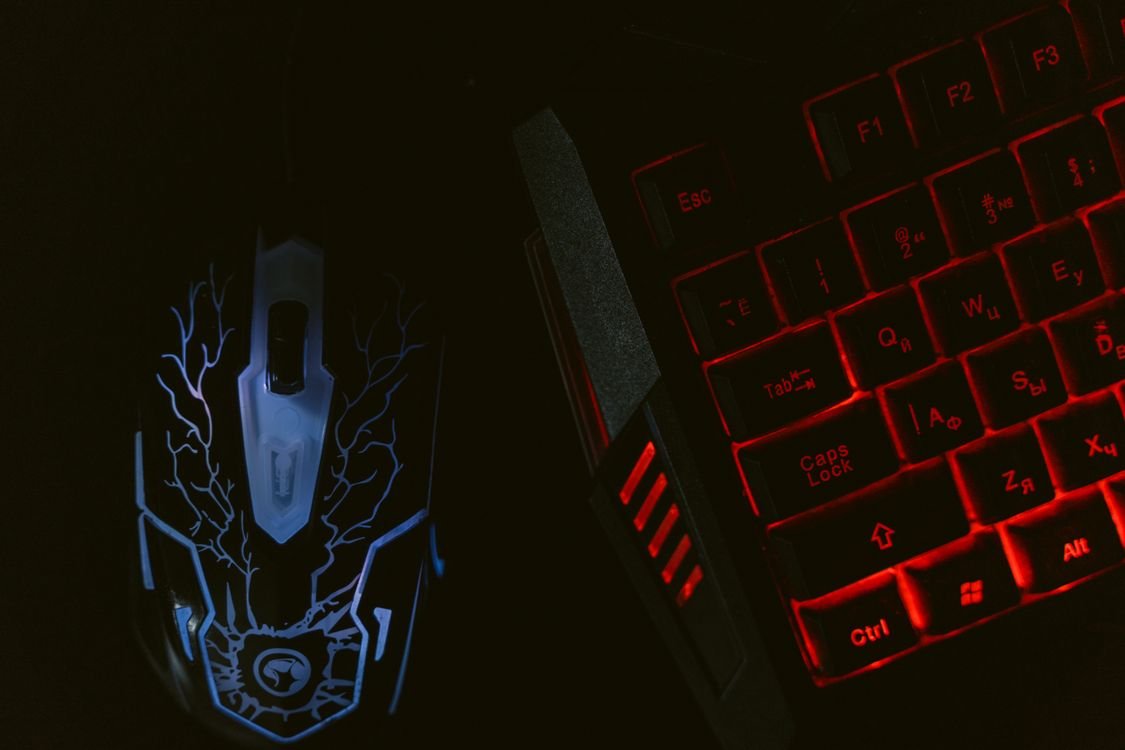
A gaming mouse under 500 rupees sounds too cheap to be good, and that is exactly why so many buyers end up disappointed. The segment is full of mice that look the part — RGB lighting, aggressive styling, big DPI numbers on the box — but feel wrong after a week of actual play. The good news is that finding the best gaming mouse under 500 is entirely possible. The bad news is that most buyers pick the wrong one by falling for the same five mistakes. This guide walks through each one, so you spend your money on the things that affect your games instead of the things that only look good in a listing.
Mistake 1: Chasing the Highest DPI Number
The first thing most buyers check is the DPI number printed on the box, and it is the least useful number there. A mouse advertising 12,800 DPI is not automatically better than one advertising 3,200 DPI, because almost no player actually games at those extreme settings. Most competitive players use somewhere between 400 and 1,600 DPI, and what matters far more is whether the sensor tracks cleanly at the DPI you use — no jitter, no acceleration, no sudden jumps when you flick fast.
At this price, a sensor that tracks steadily at 1,000 to 2,400 DPI with a stable 1,000 Hz polling rate will serve you better than a flashy high-DPI sensor that skips pixels. When you compare a gaming mouse under 500, ignore the biggest number on the box and look for reviews or user comments about tracking stability instead. A mouse that moves exactly where your hand goes is worth more than a mouse that claims a number you will never use.
Mistake 2: Ignoring Your Grip and Hand Size
A mouse is something you hold for hours, yet grip is the thing buyers check last. There are three common grip styles: palm grip, where your whole hand rests on the mouse; claw grip, where your palm sits back and your fingers arch down; and fingertip grip, where only your fingertips touch the mouse. A long, tall mouse suits palm-grip players with bigger hands, while a short, low mouse suits claw and fingertip players.
Before you buy, think about how you actually hold your current mouse. If your hand cramps after an hour, the shape is wrong for you, no matter how good the sensor is. Budget mice in this segment come in very different shapes — some wide and flat, some narrow and tall — so pick the shape that matches your hand, not the shape that looks best in photos. This single check prevents more returns than any specification on the box.
Mistake 3: Buying Wireless Without Checking the Fine Print
A wireless gaming mouse under 500 sounds like the best of both worlds, but this is where buyers get caught most often. Cheap wireless mice can suffer from noticeable input delay, and many of them run on AA or AAA batteries that add weight and cost over time. Some use a tiny USB receiver that is easy to lose, and a few cheaper models do not even include a proper 2.4 GHz receiver, relying on Bluetooth instead — which is fine for office work but too laggy for fast games.
If you want wireless at this budget, check three things: a dedicated 2.4 GHz receiver, a rechargeable battery or a light body if it uses disposable cells, and a polling rate of at least 500 Hz. If any of those are missing or unclear in the listing, a good wired mouse is the safer buy. A wired gaming mouse under 500 gives you zero battery anxiety and zero wireless lag, and the cable is a small price to pay for a connection that never drops mid-fight.
Mistake 4: Forgetting the Buttons That Actually Matter
Two side buttons might not sound exciting, but in games they are the difference between a mouse and a gaming mouse. Side buttons let you reload, switch weapons, or throw a utility without moving your fingers off WASD. Before buying, check that the mouse has at least two programmable side buttons and that the main clicks feel crisp rather than mushy.
Also pay attention to the scroll wheel and the DPI switch. A loose, wobbly scroll wheel will annoy you every day, and a DPI button placed where your palm rests will get pressed by accident at the worst moments. These are small details, but they are the details you notice in every single match. A mouse with solid clicks, a firm scroll wheel and well-placed side buttons will feel better after a month than a mouse with a fancy sensor and sloppy buttons.
Mistake 5: Judging by RGB Lights Instead of Build Quality
RGB lighting is the cheapest feature for a manufacturer to add and the easiest way to make a bad mouse look good in photos. It tells you nothing about how the mouse will feel after six months of daily use. What actually matters is the build: a cable that does not tangle or fray, feet that glide smoothly instead of scratching, and a shell that does not creak when you grip it hard during a clutch moment.
Look for a braided cable, decent PTFE feet, and a shell with a finish that does not turn slippery with sweat. These are the things that separate a mouse you keep from a mouse you replace. If you have to choose between a plain-looking mouse with a solid build and a glowing mouse with a hollow shell, pick the plain one every time.
Wired or Wireless Under 500: Which One Should You Pick?
For most buyers at this budget, wired is the smarter default. You get a stable connection, no batteries to buy, and usually a better sensor for the same money. Wireless only makes sense if you genuinely hate cables and you can verify the three checks from mistake 3 — a real 2.4 GHz receiver, a light body, and a polling rate of at least 500 Hz. If you play mostly story games or casual matches, either will do. If you play ranked shooters like Valorant or BGMI on PC, wired is the safer pick until your budget grows.
What a Good Gaming Mouse Under 500 Should Have
Use this quick checklist before you order. A good pick ticks most of these boxes: a stable optical sensor that tracks cleanly at 1,000 to 2,400 DPI, a polling rate of 500 Hz or higher, at least two side buttons, a shape that fits your grip and hand size, a braided cable or a verified 2.4 GHz wireless connection, and a solid shell with smooth-gliding feet. RGB lighting is a bonus, never a requirement.
If your budget can stretch a little further, a gaming keyboard and mouse under 500 combo can be a smart first setup, but check the mouse in the combo against this same list — combos sometimes hide a weak mouse behind a good keyboard. And if your budget reaches four figures, our guide to the best gaming mouse under 1000 in India explains what the extra money actually buys you.
Frequently Asked Questions
Is a gaming mouse under 500 good enough for competitive play?
Yes, for casual and semi-competitive play. A stable sensor, a shape that fits your hand and a 500 Hz or higher polling rate matter far more than price. Professional players use expensive mice, but the gap at this budget is mostly about build quality and weight, not raw tracking.
Wired or wireless — which gaming mouse under 500 is better?
Wired, for most players. It costs less for the same sensor quality, has no input delay and never needs charging. Wireless is worth it only if it has a proper 2.4 GHz receiver and a light body.
How much DPI do I actually need?
Most players game between 400 and 1,600 DPI. Anything above 3,200 DPI is rarely used in real matches, so do not pick a mouse just because the box advertises a bigger number.
Do I need RGB lighting on a budget gaming mouse?
No. RGB lighting does not affect performance. Spend your budget on the sensor, the switches and the build quality, and treat lighting as a free bonus if it comes with the mouse.
Final Verdict
The best gaming mouse under 500 is not the one with the biggest DPI number or the brightest lights. It is the one that fits your hand, tracks steadily at the sensitivity you actually use, has the buttons you need, and survives daily use without falling apart. Avoid the five mistakes above, run through the checklist before you order, and you will end up with a mouse that genuinely improves your games instead of one that just looks the part. And if you ever decide to spend a little more, check our best gaming mouse under 1000 guide to see what the next price step is really worth.

Best Gaming PC Under 50000: Prebuilt or Custom Build?

Best Gaming Chair Under 5000: Mesh vs Racing Style

Best Gaming Mouse Under 500: 5 Costly Mistakes to Avoid
Best Gaming Keyboard Under 1000: What to Check First

Best Gaming Headphones Under 2000 in India: A Buyer’s Guide
Best Gaming Mouse Under 1000 in India: A Smart Buyer’s Guide
BGMI Redeem Code: How to Claim Free Rewards the Official Way

Best Gaming Earphones Under 1000 in India: Clear Sound, Low Lag, Zero Overspend
BGMI Sensitivity Settings: The Best Values for Steady Aim and Low Recoil
WatchNewMovieNet com: Movies, Streaming and Entertainment Explained
BGMI Esports Registration: How to Register for BGMI Tournaments in India

How to Improve Aim in Valorant: A Simple Beginner Guide
How to Reduce Lag in Online Games: Simple Fixes That Actually Work

Why Women Need More Than One Pair of Flip-flops
WatchNewMovieNet com: Movies, Streaming and Entertainment Explained
BGMI Sensitivity Settings: The Best Values for Steady Aim and Low Recoil
Best Gaming Earphones Under 1000 in India: Clear Sound, Low Lag, Zero Overspend
BGMI Redeem Code: How to Claim Free Rewards the Official Way
Best Gaming Mouse Under 1000 in India: A Smart Buyer’s Guide
Best Gaming Keyboard Under 1000: What to Check First
Best Gaming PC Under 50000: Prebuilt or Custom Build?
Best Gaming Chair Under 5000: Mesh vs Racing Style
Best Gaming Mouse Under 500: 5 Costly Mistakes to Avoid
Best Gaming Keyboard Under 1000: What to Check First
Best Gaming Headphones Under 2000 in India: A Buyer’s Guide
Best Gaming Mouse Under 1000 in India: A Smart Buyer’s Guide
BGMI Redeem Code: How to Claim Free Rewards the Official Way
Best Gaming Earphones Under 1000 in India: Clear Sound, Low Lag, Zero Overspend
BGMI Sensitivity Settings: The Best Values for Steady Aim and Low Recoil