gaming
Best Gaming Keyboard Under 1000: What to Check First

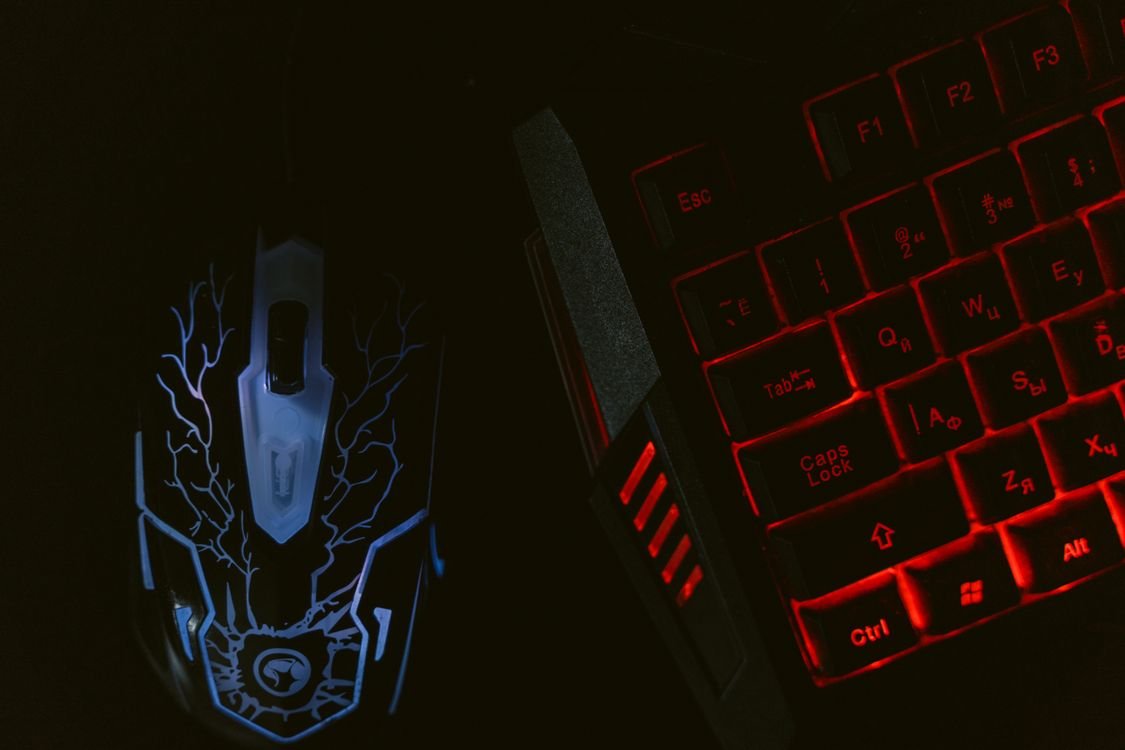
A good gaming keyboard does not have to cost a fortune. In India, the under-1000-rupee segment is full of options, and most of them look the same in photos: rainbow backlighting, chunky keycaps and big promises on the box. The real differences show up only after a few weeks of use, when keys start feeling mushy, letters fade, or the keyboard misses a keypress in the middle of a match. This guide explains what actually matters when you buy the best gaming keyboard under 1000, so you spend your money on the things that affect your games instead of the things that only look good in a listing.
What Can You Realistically Expect Under 1000 Rupees?
At this price, honesty matters more than hype. You will almost always get a membrane keyboard, not a true mechanical one, and that is fine. A well-made membrane keyboard can feel responsive and last a long time. What you should not expect is premium build quality, hot-swappable switches, or software with deep customisation. The goal at this budget is simple: a keyboard that registers every keypress reliably, feels comfortable during long sessions, and survives daily use. If a listing promises mechanical switches, per-key RGB and a metal body all for under 1000 rupees, read the fine print carefully, because at least one of those claims is usually stretched.
Membrane vs Mechanical: What the Difference Means for You
Most keyboards under 1000 rupees use a membrane design, where a rubber layer sits under the keys and each press pushes the membrane down to register. They are quiet, affordable, and perfectly usable for gaming. True mechanical keyboards use an individual switch under every key, which gives a crisper feel and usually lasts longer, but genuine mechanical boards rarely sell below 1000 rupees in India. Some budget boards advertise “mechanical feel” switches, which are still membrane keyboards with a spring added to mimic the click of a mechanical switch. They can feel decent, but do not confuse the label with a real mechanical keyboard. For most casual and competitive players at this budget, a good membrane keyboard is the smarter buy than a cheap board pretending to be mechanical.
Key Rollover and Anti-Ghosting: The Feature That Actually Wins Games
If there is one specification worth checking before anything else, it is key rollover. In fast games you often press several keys at once — W to move, Shift to sprint, Space to jump, and maybe a number key to switch weapons. A keyboard with poor rollover will ignore one of those presses, which is called ghosting. Look for a board that advertises anti-ghosting on at least the gaming keys, or 19-key rollover, which means it can register up to 19 keys pressed together. This matters far more than RGB lighting, and it is the feature that separates a keyboard that feels fine on the desktop from one that holds up in a ranked match.

Switches, Key Travel and Feel
Key feel is personal, but a few basics help. Shorter key travel usually feels faster for gaming, while deeper travel feels more deliberate for typing. Before buying, check reviews or user comments about how the keys feel after a month of use, not just on day one. Keys that feel crisp out of the box can turn spongy if the membrane is low quality. Also look at the keycaps: keys with letters printed on top wear out faster than keys with the letters moulded through or printed underneath. If you play daily, faded legends become annoying quickly, so this small detail is worth checking.
Backlighting: Useful, Not Essential
RGB lighting looks great in photos, and at this budget most boards offer rainbow or single-colour backlighting rather than per-key customisation. Backlighting is genuinely useful if you play in a dark room, because it helps you find keys without looking down. But it should never be the deciding factor. A keyboard with bright lights and poor rollover is a worse gaming keyboard than a plain-looking board that registers every press. If you do want lights, check whether the brightness is adjustable and whether the lighting can be turned off completely, since some budget boards have only one blinding brightness level.
Build Quality and Layout
Pick the keyboard up, if you can, or at least check its weight and materials in reviews. A board that flexes when you press hard in the middle will not age well. A slightly heavier board with a solid frame usually lasts longer than a feather-light one. Layout matters too. Full-size keyboards include a number pad, which is handy if you also use the PC for work or study, while tenkeyless boards skip the number pad and leave more room for your mouse. For small desks, a compact layout can genuinely improve your aim by giving your mouse arm space. Also check the cable: a braided cable lasts longer than a thin rubber one, and a keyboard with a detachable cable is easier to carry and store.
Wired vs Wireless Under 1000 Rupees
At this budget, wired is almost always the better choice. A wired keyboard has no battery to charge, no input delay, and no connection drops in the middle of a match. Budget wireless keyboards can suffer from noticeable lag and often use cheaper switches to offset the cost of the battery and receiver. If you mainly play competitive games, stick with wired. Wireless only makes sense here if you value a clean desk and play mostly casual games.
Extra Features Worth Having, and Ones to Ignore
A few extras are genuinely useful. Multimedia keys or a volume shortcut save you from alt-tabbing out of a game. A wrist rest, even a simple one, helps during long sessions. Spill resistance is a real plus if you keep a drink on your desk. On the other hand, ignore claims like “gaming-grade” or “pro esports” on the box — those are marketing words, not specifications. Macro keys and dedicated software are rare at this price, and when they do appear, the software is often clunky. Do not pay extra for them.
Common Mistakes When Buying a Budget Gaming Keyboard
The most common mistake is choosing by looks alone. The second is trusting a listing’s headline claims without reading the specifications or reviews. Check the warranty, too: a one-year warranty from a known brand is worth more than a flashy unknown board with no after-sales support. Avoid keyboards with no reviews at all, and be wary of listings where every review sounds identical. Finally, measure your desk. A full-size keyboard plus a large mouse pad can crowd a small desk, and that cramped setup hurts your aim more than any switch ever will.
How to Test Your New Keyboard
Once it arrives, spend ten minutes testing it properly. Open a keyboard tester website and press every key to confirm they all register. Hold down W, A, Shift and Space together and check that all four register — that is your anti-ghosting test. Play a few rounds of your usual game and notice whether any key feels sticky or unresponsive. If something is wrong, return or replace it within the return window instead of living with it. A keyboard is something your fingers touch for hours every day, so a small flaw becomes a daily annoyance.
Completing Your Budget Gaming Setup
A keyboard is only one part of the setup. Once your keys feel right, your mouse matters just as much — a good budget mouse with a reliable sensor can make a real difference to your aim. If you have not picked one yet, this guide to the best gaming mouse under 1000 in India covers what to look for at the same budget: https://bencodesesports.com/best-gaming-mouse-under-1000-in-india-a-smart-buyers-guide/
Final Thoughts
The best gaming keyboard under 1000 is not the one with the brightest lights or the longest feature list. It is the one that registers every keypress, feels comfortable after hours of play, and still works the same way six months from now. Check the rollover, pay attention to build quality, pick wired over wireless for competitive play, and ignore the marketing words. Get those basics right, and a budget keyboard can serve you well until you are ready to spend more.

Best Gaming PC Under 50000: Prebuilt or Custom Build?

Best Gaming Chair Under 5000: Mesh vs Racing Style

Best Gaming Mouse Under 500: 5 Costly Mistakes to Avoid
Best Gaming Keyboard Under 1000: What to Check First

Best Gaming Headphones Under 2000 in India: A Buyer’s Guide
Best Gaming Mouse Under 1000 in India: A Smart Buyer’s Guide
BGMI Redeem Code: How to Claim Free Rewards the Official Way

Best Gaming Earphones Under 1000 in India: Clear Sound, Low Lag, Zero Overspend
BGMI Sensitivity Settings: The Best Values for Steady Aim and Low Recoil
WatchNewMovieNet com: Movies, Streaming and Entertainment Explained
BGMI Esports Registration: How to Register for BGMI Tournaments in India

How to Improve Aim in Valorant: A Simple Beginner Guide

How to Reduce Lag in Online Games: Simple Fixes That Actually Work

Why Women Need More Than One Pair of Flip-flops
WatchNewMovieNet com: Movies, Streaming and Entertainment Explained
BGMI Sensitivity Settings: The Best Values for Steady Aim and Low Recoil
Best Gaming Earphones Under 1000 in India: Clear Sound, Low Lag, Zero Overspend
BGMI Redeem Code: How to Claim Free Rewards the Official Way
Best Gaming Mouse Under 1000 in India: A Smart Buyer’s Guide
Best Gaming Keyboard Under 1000: What to Check First
Best Gaming PC Under 50000: Prebuilt or Custom Build?
Best Gaming Chair Under 5000: Mesh vs Racing Style
Best Gaming Mouse Under 500: 5 Costly Mistakes to Avoid
Best Gaming Keyboard Under 1000: What to Check First
Best Gaming Headphones Under 2000 in India: A Buyer’s Guide
Best Gaming Mouse Under 1000 in India: A Smart Buyer’s Guide
BGMI Redeem Code: How to Claim Free Rewards the Official Way
Best Gaming Earphones Under 1000 in India: Clear Sound, Low Lag, Zero Overspend
BGMI Sensitivity Settings: The Best Values for Steady Aim and Low Recoil